Word Scramble Puzzles for Kids Vol.3: A Practical Asset for KDP Publishers and Educators
Creating activity books for children that are both engaging and educationally sound requires more than a good idea—it demands consistent, high-quality content that fits into a repeatable production workflow. For KDP publishers, educators, and content creators who specialize in children's activity books, the Word Scramble Puzzles for Kids Vol.3 bundle offers a structured, ready-to-use resource that simplifies book creation while maintaining a high standard of cognitive value.
What Word Scramble Puzzles for Kids Vol.3 Offers in a Production Workflow
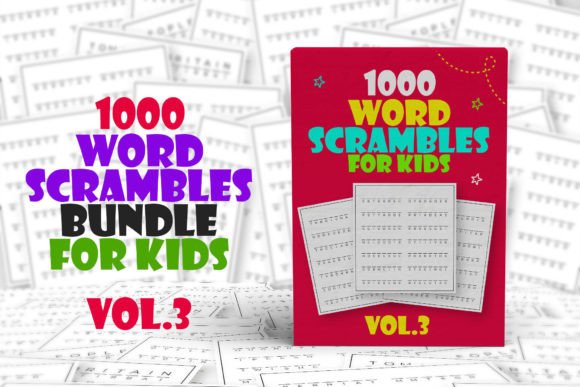
At its core, this bundle provides 1000 word scramble puzzles presented as JPEG images. Each puzzle is designed to be kid-friendly, focusing on wordplay and cognitive growth through letter rearrangement. For a publisher, this means you receive a complete set of puzzle assets that can be imported directly into design software like Canva, Adobe InDesign, or Affinity Publisher. The format eliminates the need to generate puzzle content from scratch, allowing you to focus on layout, cover design, and formatting—the parts of book creation that differentiate your product in a crowded marketplace.
This bundle fits most naturally into the content acquisition and asset preparation phase of your publishing workflow. Instead of spending hours researching word lists, verifying age-appropriate vocabulary, and manually arranging scrambled words, you have a verified set of puzzles ready for placement. This shift from content creation to content assembly can significantly reduce your per-book production time, especially when producing multiple volumes or series.
Pre-Production Planning and Asset Management
Before you open a design tool, consider how the puzzles will be organized within your book. The 1000 puzzles in Vol.3 can be grouped into themed sections—such as animals, food, geography, or holidays—or arranged by difficulty level if you sort them manually. Since the JPEG images are standalone, you can drag and drop them into a folder structure that matches your intended chapter or section breakdown. This pre-sorting step, while simple, saves time later when you are laying out pages and ensures a logical progression for the reader.
If you produce multiple activity book titles, treat Vol.3 as a reusable content library. You can pull subsets of puzzles for different books—for example, using 50 puzzles for a travel-size activity book or 200 puzzles for a classroom supplement. The JPEG format makes it easy to import only what you need without editing the original files.
Design and Layout Integration
When you bring the JPEG images into Canva or similar software, you have full control over page backgrounds, borders, fonts for instructions, and any additional elements like answer keys or progress trackers. The puzzles themselves are the core interactive component, but your design choices around them determine readability and visual appeal. Consider adding a consistent header area on each page with the volume number or a thematic icon to reinforce branding across a series.
For efficiency, create a template page layout that includes a puzzle image placeholder, a text box for the scrambled word list (if you choose to display words separately), and a space for the child’s name or date. Then duplicate that template for each puzzle, swapping out the JPEG file. This batch-processing approach is standard in professional book production and directly applicable here.
Quality Control and Consistency Checks
Before publishing, run through a sample set of puzzles to verify that the JPEG images render clearly at your intended book trim size. Test a few puzzles yourself—or with a child in your target age range—to confirm that the scramble difficulty matches the audience. Because the puzzles are pre-made, your quality control focus shifts to image resolution, page layout alignment, and printing margins. Check that no puzzle is cut off or distorted when exported as a PDF for KDP print.
If you include an answer key (strongly recommended for educational use), ensure that the answers correspond to the puzzles in the order they appear. Creating a separate answer key page or an appendix is straightforward when you number each puzzle during layout.
Practical Use Cases Beyond Traditional Publishing
While KDP publishers are the primary audience for this bundle, the Word Scramble Puzzles for Kids Vol.3 assets have utility in several adjacent workflows:
- Classroom teachers and homeschooling parents can print individual puzzle pages for morning work, brain breaks, or literacy centers. The JPEG format allows them to insert puzzles into worksheets or digital learning platforms like Google Classroom.
- Educational content creators who produce printables for Teachers Pay Teachers or Etsy can use these puzzles as components in larger resource packs, supplementing them with vocabulary lists, coloring pages, or writing prompts.
- After-school program coordinators can compile a binder of puzzles for independent student use, rotating sets every few weeks to maintain novelty.
- Freelance book designers who contract with self-publishing authors can use Vol.3 as a reliable source of children's puzzle content for client projects, reducing the time they spend sourcing or creating original activities.
In each of these scenarios, the bundle functions as a plug-and-play content layer that integrates with existing materials or platforms. It does not require specialized software or technical skills—just the ability to open JPEG files and arrange them in a document or folder.
Batching and Scheduling
If you publish activity books regularly, treat puzzle collection as a once-per-volume task rather than a per-project scramble. With Vol.3, you have a full set ready. Batch your design work: set aside a block of time to import all 1000 images into your template, then review and export in one session. This reduces context switching and helps maintain visual consistency across pages.
File Organization and Naming
Rename the JPEG files with a consistent convention before importing them into your design software. For example, use "WP_Vol3_001.jpg" through "WP_Vol3_1000.jpg" so they sort numerically. If you plan to create themed sections, prefix the number with a theme code (e.g., "AN_001" for animals). Good file naming pays off when you need to locate a specific puzzle or replace one during editing.
Version Control for Multiple Editions
If you publish a paperback edition, a spiral-bound edition, and a digital version of the same book, keep the puzzle assets in a master folder and export separate layout files from your design software. Do not duplicate the JPEGs—instead, link them from a single source. This way, if you ever need to correct or update a puzzle, you change one file and all editions stay in sync.
Audience Relevance and Educational Value
Word scramble puzzles support vocabulary development, spelling practice, and pattern recognition in children. For educators and parents, the 1000 puzzles in Vol.3 offer enough variety to sustain interest over weeks or months without repetition. For publishers, this volume becomes a product that can be marketed as a "big book of puzzles," appealing to buyers who want substantial content for their money.
The bundle also aligns well with the growing demand for screen-free, print-based learning activities. In a classroom or home setting, a printed puzzle book requires no device, no battery, and no internet connection—a practical consideration for many families and schools. By using Vol.3 as the content foundation, you can build books that address this need directly.
Practical Considerations Before You Start
- Software compatibility: JPEG images work in every major design tool. No special plugins or converters are needed.
- Print resolution: Check that the JPEGs are at least 300 DPI at your target trim size. Most KDP-ready puzzles are provided at adequate resolution, but verify early to avoid rework.
- Answer key creation: You will need to compile answers separately unless they are included in the bundle. Create a simple spreadsheet or text list as you lay out each puzzle to save time later.
- Branding opportunities: The puzzles themselves are unbranded, leaving room for you to add your logo, series name, or cover design elements.
Long-Term Asset Value
Once you have incorporated Vol.3 into a finished book, the JPEG files remain usable for future projects. You can reorder, reselect, or combine puzzles with other volumes or activity types. This makes the bundle a durable component of your content library rather than a single-use purchase. For a small publisher, building a library of such puzzle sets over time reduces reliance on freelance content creators and shortens the production timeline for each new title.
Over several publishing cycles, the efficiency gain from using a pre-built puzzle bundle like Vol.3 compounds. You spend less time on content generation and more time on design, marketing, and customer engagement—the activities that directly drive sales and brand loyalty.
Final Thoughts on Integration
Whether you are a seasoned KDP publisher, a teacher building classroom resources, or a content creator expanding your product line, the Word Scramble Puzzles for Kids Vol.3 bundle offers a practical, time-saving foundation. Its JPEG format and large puzzle count make it adaptable to a range of workflows, from one-off book projects to ongoing series production. The key to getting the most out of it lies not in the puzzles themselves, but in how you integrate them into your existing processes—through thoughtful file management, consistent layout templates, and a clear understanding of your audience’s needs.
By treating this bundle as a reusable asset rather than a finished product, you unlock its full potential as a tool for efficient, scalable content creation.