To-Do List Printable Template: Your Daily Organizational Companion
For many of us, the gap between intention and completion is a daily struggle. You jot down tasks on sticky notes, save reminders on your phone, or try to hold a mental list of everything that needs to get done. Yet, by the end of the day, you wonder where the hours went and why so little was accomplished. A To-Do List Printable Template offers a simple, tactile solution that bridges that gap. It transforms scattered thoughts into a structured plan you can see, touch, and follow.
Whether you are managing a busy household, running a creative business, or preparing content for Kindle Direct Publishing, a well-designed to-do list template can become the backbone of your daily workflow. The beauty of a printable template lies in its versatility: you can use it as a standalone organizer, insert it into a binder, or modify it digitally before printing. This article explores the depth of what this template offers, how to use it effectively, and why it deserves a place in your productivity toolkit.
What Makes This To-Do List Template Stand Out
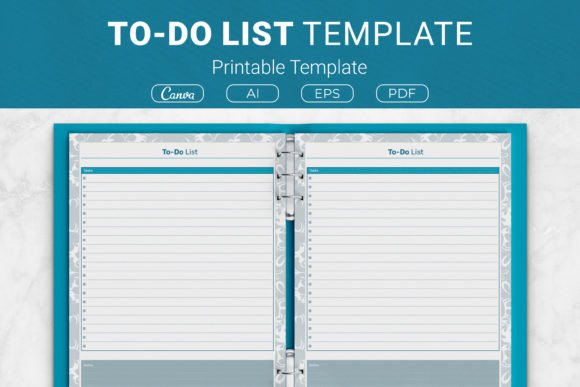
At first glance, a to-do list may seem like a straightforward tool. However, the To-Do List Printable Template in question goes beyond the basics. It includes dedicated space for both tasks and notes, allowing you to add context, deadlines, or quick ideas alongside your action items. This dual-purpose layout helps you capture everything in one place without flipping between pages.
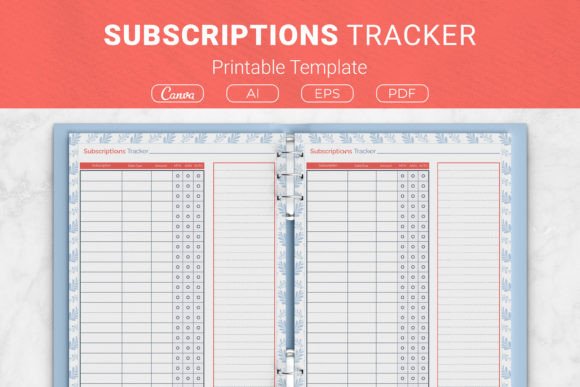
The package is designed for maximum flexibility. You receive AI Illustrator files that are open source, giving you full control to edit colors, fonts, and layout elements. An EPS file is included for those working in vector editing software. For immediate use, PDF files ready to print ensure you can start organizing within minutes. Additionally, a Link to Canva Templates opens the door to cloud-based customization, even if you have no design experience. This combination of file types makes the template accessible to beginners and seasoned designers alike.
Sizes That Fit Your Life
No single size works for every situation. That is why this template comes in four distinct dimensions:
- US Letter 8.5 x 11 in – Ideal for standard printers and three-ring binders.
- A4 210 x 297 mm – The international standard, perfect for users outside North America.
- 7.5 x 9.25 in – A compact size that fits nicely into smaller notebooks or planner covers.
- 6 x 9 in – A popular trim size for KDP interiors and travel-friendly organizers.
Having multiple size options ensures you can use the template in a binder, a disc-bound system, or as a standalone pad. If you are creating a planner for Kindle Direct Publishing, the 6 x 9 inch size aligns with common book dimensions, making it a natural fit for your interior pages.
Who Benefits Most from This Printable To-Do List
This template is designed for a broad audience, but certain groups will find it especially valuable:
Busy Professionals and Entrepreneurs
If your day involves juggling meetings, deadlines, and client calls, a clear task list keeps priorities visible. You can print a fresh sheet each morning, list your top three priorities, and use the notes section to capture follow-up items or ideas that arise during the day. The act of checking off completed tasks provides a psychological reward that digital checklists often lack.
Students and Academics
Balancing coursework, research, and personal commitments can be overwhelming. A printed to-do list helps you break down large projects into manageable steps. Use the notes area to record due dates, exam locations, or study reminders. Because the template is printable, you can keep one in each binder or notebook for quick reference.
Creative Professionals and Designers
With the included AI and EPS files, you can customize the template to match your brand or personal style. Change the header font, add your logo, or adjust the layout to include additional fields. This flexibility makes it suitable for client work, project planning, or content calendars. The Canva link simplifies editing further, allowing you to make changes directly in your browser.
KDP Publishers and Content Creators
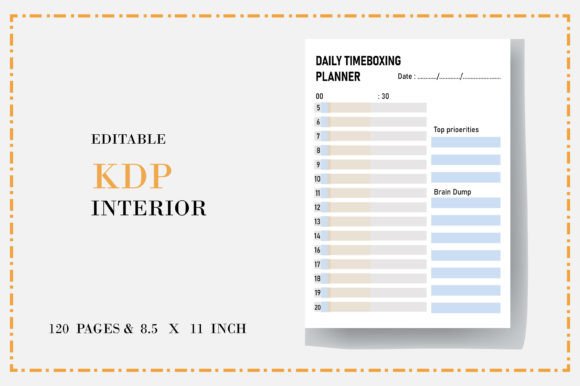
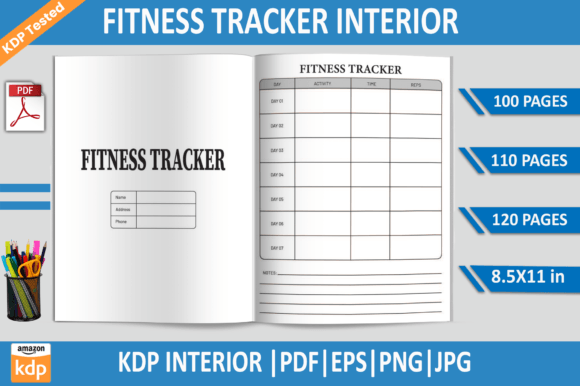
For those publishing planners on Amazon KDP, this template serves as a ready-to-use interior. The 6 x 9 inch size is a standard option for low-content books. You can use the PDF files as a base, or open the source files to create a series of to-do list pages that form the core of your planner. Having multiple size options also lets you test different formats before finalizing your book interior.
Real-World Scenarios: Where This Template Shines
Understanding how a tool works is one thing; seeing it in action is another. Here are a few practical examples of how you might integrate this To-Do List Printable Template into your daily routine:
Morning Planning Routine
Print a stack of templates and keep them by your desk. Each morning, take one sheet and list your tasks in order of priority. Use the notes section to jot down any appointments, phone numbers, or quick reminders. At the end of the day, review what you accomplished and carry unfinished items over to the next sheet. This habit builds consistency and reduces mental clutter.
Weekly Home Management
Household tasks often feel endless. Dedicate one template per week to chores, grocery lists, and family events. List tasks like "meal prep Sunday," "pay utilities," and "schedule dentist appointment." The notes area can hold the grocery list or a reminder about upcoming birthdays. Because the template is printable, you can hang it on the refrigerator or keep it in a family binder.
Creative Project Brainstorming
When working on a creative project, ideas often come faster than you can organize them. Use the tasks section for actionable steps like "research color palette" or "sketch three concepts." Use the notes area for free-form brainstorming: color combinations, typography ideas, or client feedback. This separation keeps your action items distinct from your creative thoughts, reducing overwhelm.
KDP Interior Development
If you are publishing a productivity planner on Amazon, you need a consistent, clean interior. Open the AI or EPS file and adjust the template to match your book's theme. Add page numbers, header titles, or decorative elements. Export as a print-ready PDF and upload to KDP. The 6 x 9 inch size aligns perfectly with standard trim sizes, saving you the hassle of resizing.
Strengths and Considerations
Like any tool, this template has clear strengths and a few limitations worth noting.
What Works Well
- Customization: The open-source files give you full control over the design. You are not locked into a fixed layout.
- Multiple formats: AI, EPS, PDF, and Canva links cover almost every use case, from professional editing to quick printing.
- Size variety: Four sizes accommodate different binders, notebooks, and publishing needs.
- Simplicity: The tasks-plus-notes layout is intuitive and requires no learning curve.
What to Keep in Mind
- Printing required: This is a printable template, so you need access to a printer or a print shop. If you prefer digital-only tools, this may not suit your workflow.
- Basic layout: The template is intentionally straightforward. If you need advanced features like priority flags, time slots, or habit trackers built in, you may need to customize the source files.
- Customization effort: While the Canva link simplifies editing, fully modifying the AI or EPS files requires vector editing software such as Adobe Illustrator or Inkscape.
These considerations are not drawbacks but rather practical points to help you decide whether this template aligns with your needs. For most users, the simplicity and flexibility far outweigh the minimal effort required to print or edit.
How to Choose the Right Size and Format for Your Needs
Selecting the correct size and file format ensures a smooth experience from download to daily use.
For Personal Organization
If you plan to print at home and keep sheets in a binder, US Letter or A4 is your best choice. These sizes are standard for home printers and fit easily into most three-ring binders. Use the PDF files for immediate printing, or customize the Canva template if you want to add your name or a personal header.
For KDP Publishing
Choose the 6 x 9 inch size for your book interior. This matches a widely used trim size on Amazon. Open the AI or EPS file to fine-tune margins and bleeds, then export as a high-resolution PDF. The PDF files provided are also ready to use, but ensure they align with KDP's formatting guidelines before uploading.
For On-the-Go Use
The 7.5 x 9.25 inch size offers a portable option that still provides ample writing space. It fits into smaller bags and half-letter binders. Print a batch and keep them in a clipboard or folio for meetings, travel, or field work.
Practical Tips for Getting the Most Out of Your Template
To maximize the value of your To-Do List Printable Template, consider these experience-driven tips:
- Print in bulk. Print 20–30 sheets at once and keep them in a dedicated tray or binder. This removes friction and ensures you always have one ready.
- Use the notes section intentionally. Reserve it for context that helps you complete the task, such as “call after 2 PM” or “bring folder to meeting.” Avoid using it as a second task list.
- Set a daily limit. Try listing no more than five priority tasks per day. Overloading your list can lead to frustration. Use the notes area for secondary items you can revisit later.
- Review and reset. At the end of each week, flip through your completed lists. Notice patterns: which tasks kept recurring? Which ones were consistently postponed? Use this insight to adjust your workflow.
- Customize before printing. If you are using the Canva or AI files, add a weekly header, a motivational quote, or a small checklist for daily habits. Personalization increases your engagement with the tool.
Why a Physical To-Do List Still Matters in a Digital World
Digital task managers are powerful, but they come with distractions. Notifications, app switching, and the temptation to multitask can derail your focus. A printed to-do list removes those distractions. It exists as a single sheet of paper that commands your attention without pings or pop-ups. Writing tasks by hand also improves memory retention, making it more likely you will follow through.
This template bridges the gap between digital flexibility and analog focus. You can customize it digitally, print it, and then work with it offline. The result is a system that leverages the best of both worlds: the convenience of modern tools and the clarity of pen and paper.
Final Thoughts on the To-Do List Printable Template
Whether you are a busy parent scheduling appointments, a freelancer tracking project milestones, or a KDP publisher building your next product, the To-Do List Printable Template offers a reliable foundation. Its multiple sizes, open-source files, and straightforward layout make it adaptable to nearly any context. The inclusion of AI, EPS, PDF, and Canva formats ensures you can work in whatever environment you prefer.
Productivity is not about using the most complex system—it is about using a system that you will actually stick with. This template is simple enough to adopt today, yet flexible enough to grow with you. Print a sheet, write your first task, and experience the difference that a clear, organized starting point can make.